Google Pay + Commonwealth Bank
Simple. Secure. Smarter.
 |
|

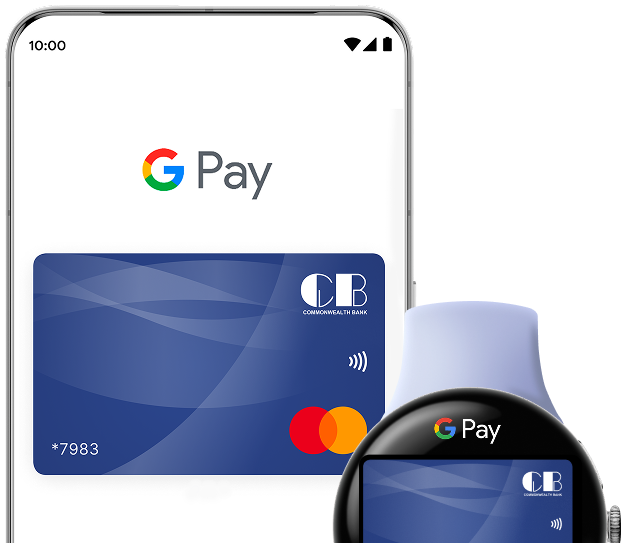
Why use Google Pay
Experience the perfect combination of speed, security, and convenience
Fast checkouts
Skip the line and pay in seconds
Enhanced security
Your card details stay protected
No physical card needed
Your phone is your wallet
Works across devices
Phone, watch, and more
How to Set Up Google Wallet with CB Cards
Get started in just four simple steps
Download Google Wallet App
Get started by downloading the Google Wallet app from Google Play.
Open Google Wallet
Launch Google Wallet on your Android device and sign in with your Google account.
Add Your CB Card
Select “Add Card” and choose your Commonwealth Bank Credit or Prepaid card.
Verify and Start Paying
Complete verification and start using Google Pay for fast, secure payments.
Supported Devices & Cards
Google Pay works seamlessly across a wide range of Android devices and Wear OS watches

Android Phones
Android 5.0 or higher
Compatible with most Android smartphones including Samsung Galaxy, Google Pixel, OnePlus, and more.

Wear OS Watches
Wear OS 2.0 or higher
Make payments from your wrist with compatible Wear OS smartwatches from Fossil, TicWatch, and more.
Supported Commonwealth Bank Cards
Available for all Commonwealth Bank credit, and prepaid cards. Add your existing CB card in seconds and start paying.
Google Pay And Google Wallet Are Trademarks Of Google LLC.
FAQs

What is Google Pay?
Google Pay is a digital wallet that allows you to make secure, contactless payments using your smartphone or smartwatch. You can use it to pay in stores, online, and in apps wherever Google Pay is accepted.
How to check for Eligible Cards?
If you have a credit card or prepaid card issued by our bank, you can add it to Google Pay immediately. Debit card support is planned for 2026, and we will notify all customers when this feature becomes available.
How to make payments using Google Pay?
Look for the Google Pay button at checkout. Select it, choose your card, and confirm with your fingerprint or PIN.
Where is Google Pay Accepted?
Any merchant that accepts contactless payments. Look for the contactless symbol or Google Pay logo at checkout terminals. Most major retailers, restaurants, transit systems, and service providers now support contactless payments.
How secure is Google Pay?
Your payment information is protected by multiple layers of security.When you add your Commonwealth Bank card to Google Pay, a unique virtual account number (token) is assigned to your device. This token is used for all transactions instead of your actual card number.
How do I earn rewards with my Commonwealth Bank credit card?
You earn reward points for every dollar spent on eligible purchases. Points can be redeemed for travel, merchandise, gift cards, or statement credits.
Whom should I contact for Dispute & Support?
Contact us at 1-242-394-CARD for any dispute and/or fraudulent transactions. You can also contact Google directly if you are facing any technical issues.